Can Apple Watch Detect Sleep Apnea | Resmed
What can we help you find?
Search for masks, machines, accessories...

Can Apple Watch Detect Sleep Apnea

Sleep health Diagnosed Dry mouth Fatigue Seeking care Sleep health Sleep issues Sleep test Snoring
What is Sleep Apnea?

Sleep apnea is a condition that causes you to stop and start breathing repeatedly, interrupting a good night’s rest. Obstructive sleep apnea (OSA), the most prevalent type of sleep apnea, affects nearly 1 billion people worldwide.1 It’s a disorder in which the muscles in the throat relax to the point of collapse, restricting airflow. Breathing can become shallow and may stop for seconds or minutes at a time before your body’s defenses jolt you awake to resume breathing.2 Sleep apnea can leave you feeling tired and drained the next morning. If left untreated, it can lead to several serious health risks, including high blood pressure and elevated blood sugar levels–all factors that can contribute to heart disease, diabetes and stroke.3

How well you sleep at night plays a big part in how much energy you have during the day. Sleep health is the quality of your sleep and its impact on your overall well-being. Today, wearable technology is making it easier to monitor your sleep health. From using your Apple Watch’s app to identify breathing disturbances to exploring other medical devices that detect sleep apnea, we’ll show you how technology can help you take control of your health and get back to living with more energy.

How does the Apple Watch track your sleep?

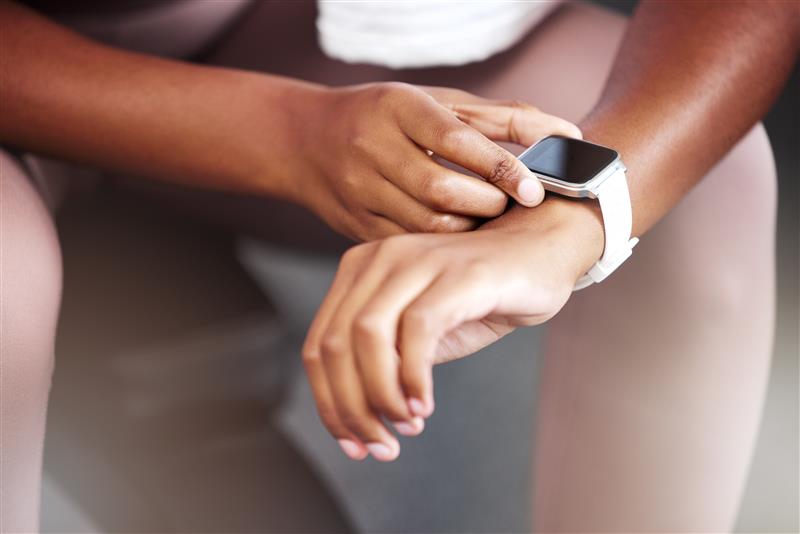
If you wear your Apple Watch to bed, this handy device can give you helpful insights into your sleeping habits. The Sleep app on your Apple Watch can help you analyze your personal sleep trends. By tracking data over a 30-day period, your device can help you get a better pulse on what’s keeping you awake at night–and receive a notification if it is suggestive of sleep apnea.

Sleep monitoring features on the Apple Watch

Your Apple Watch has several features designed to help you better understand what goes on with your body while you sleep. These features include:

Heart rate variability (HRV):

Located under the Health app on your Apple device, the HRV feature measures time between heartbeats. Your heartbeat tempo can change due to a variety of factors, such as smoking, alcohol use and stress.4 Age and lifestyle factors also play a role in determining a “good” HRV vs. a “bad” HRV. A higher HRV is a sign of better health, greater resilience and good stress recovery.5

Sleep stages and duration:

The Sleep app on your Apple Watch can track time spent in each of the three sleep stages. These three stages6 are:

  1. Core sleep (or light sleep)
  2. Deep sleep, which is restful sleep that allows your body to boost immunity and repair damaged tissue
  3. REM sleep, which aids memory and learning abilities7

This app can help you see how much sleep you got and the amount of time spent in each stage of rest.

Breathing disturbances:

Apple recently rolled out a new Health app feature that tracks breathing disturbances that might indicate sleep apnea. The Breathing Disturbances metric tracks your respiratory rate and patterns while you sleep, collecting data over a 30-day period. If the app detects consistent disruptions to your nighttime breathing, it will notify you that you may have signs of possible sleep apnea.

How these features relate to sleep apnea detection

These features work together to help you better understand your sleeping habits and prompt you to take action if you might have sleep apnea. If you notice consistent patterns like low blood oxygen levels, sudden spikes in heart rate, and a lack of deep or REM sleep, these can be potential warning signs of sleep apnea.

How to set up Sleep Apnea Detection on your Apple Watch

Your Apple Watch (Apple Watch Series 9 or later, Apple Watch Ultra 2, or Apple Watch SE 3) has a feature designed specifically to detect signs of possible sleep apnea. Here’s how to set up Sleep Apnea Detection. Refer to Apple for further instructions:

  1. Update your Apple Watch with the latest version of watchOS.
  2. Update your iPhone to the latest version of iOS.
  3. Open the Health app on your iPhone.
  4. Tap Search, then tap Respiratory.
  5. Under Sleep Apnea Notifications, tap Set Up, then tap Next.
  6. Confirm your Date of Birth and if you’ve ever been diagnosed with sleep apnea, then tap Continue.
  7. Tap Next, then tap Done.
 Apple watch sleep apnea tracking
Can the Apple Watch diagnose sleep apnea?

Your Apple Watch can’t give you a definite sleep apnea diagnosis, but it can notify you to unusual sleep patterns and warning signs that may indicate a problem. If you see consistent, negative patterns in your sleep schedule, it’s time to visit your doctor and take the next steps toward better sleep health. Your doctor can confirm a sleep apnea diagnosis so you can get the help you need to sleep better–and live better.

Benefits of Apple Watch sleep apnea detection

Your Apple Watch can be a helpful tool that empowers you to stay on top of your health and uncover the truth behind your sleeping patterns. While it’s not a replacement for a doctor’s diagnosis, it can give you valuable insights that prompt you to check with a medical professional who can confirm if you have sleep apnea.

Accessibility and convenience

With your Apple Watch you have an easier way to monitor sleep. It tracks your breathing patterns and other sleep data so you don’t have to wear bulky equipment or change your routine. Over time, your Apple Watch may notify you of patterns that indicate that you may have signs of possible sleep apnea. And since it works automatically after you configure settings, all you have to do is remember to wear your smartwatch to bed.

Early warning signs

Many people don’t realize they have sleep apnea because the signs–like snoring, gasping for air, or poor quality sleep–happen while they’re sleeping. Your Apple Watch can track changes in your breathing that may indicate a deeper health problem. Features like Breathing Disturbances can notify you if your sleeping patterns (and disturbances) are consistent with sleep apnea. While your Apple Watch can’t formally diagnose you, it can give you actionable data to share with your doctor. Paying attention to these signs earlier can make a big difference in your sleep health and overall quality of life. When left untreated, sleep apnea can contribute to serious health problems like high blood pressure and heart disease.3

Integration with other health data

Using your Apple Watch to track sleeping habits connects that data to other health-related features you use. Sleep apnea affects more than just your sleep. It can also impact your:

  • Heart health
  • Energy levels
  • Mood
  • Ability to focus
  • Relationships

Using your Apple Watch you can connect data about your sleep habits to other health-related features. This can help give you a more complete picture of how your sleep is impacting your overall well-being and help you spot concerning health trends. With more data about your health at your fingertips, you can have an informed conversation with your doctor.

 apple watch sleep apnea
Limitations of the Apple Watch in detecting sleep apnea

Although your Apple Watch can track your sleeping and breathing patterns, it can’t give you a professional diagnosis of sleep apnea. Polysomnographies (sleep studies) use specialized equipment to measure brain activity, oxygen levels, breathing patterns and more. Even the most sophisticated smartwatch is unable to provide that level of detail to confirm a sleep apnea diagnosis.

While the Apple Watch’s new Breathing Disturbances feature is a noteworthy evolution in collecting data to aid a formal sleep apnea diagnosis, it should only be used as a screening tool and not a substitute for a sleep test. Your smartwatch’s readings can be affected by how it fits, if you move around in your sleep, and even factors like stress and alcohol consumption. This can impact the accuracy of your data. If your Apple Watch notifies you may have signs of possible sleep apnea, it’s important to follow up with your doctor and get tested.

Apple Watch vs Diagnostic Sleep Apnea Solutions

While both the Apple Watch and diagnostic sleep apnea solutions can put you on a path to confirming a diagnosis, there are several key differences between the two options. Your Apple Watch can offer helpful insights into your sleeping patterns, however, diagnostic options are specially designed to diagnose sleep apnea. Understanding how these options differ in terms of accuracy, cost and use cases can help you decide which is best for your needs.

Comparing features and accuracy

When you wear your Apple Watch to bed, it gathers relevant sleep-related data like heart rate variability (HRV), blood oxygen levels, breathing disturbances, and sleep duration. This makes it a convenient way to monitor sleep trends and pinpoint potential issues. However, the Apple Watch is not designed to diagnose sleep apnea the way diagnostic tests can.

By contrast, at-home sleep tests and in-lab sleep studies are offered through medical providers as a trusted way to confirm a sleep apnea diagnosis. For instance, at-home sleep test equipment is designed to be compact, easy-to-use and provide accurate results.

At-home sleep tests can even differentiate between different types of sleep apnea, such as obstructive sleep apnea (OSA) and central sleep apnea (CSA).

Unlike the Apple Watch that uses sensors that can shift during sleep depending on how you move your wrist, equipment for home sleep tests can capture detailed sleep and breathing pattern data regardless of sleep position. Some home sleep test devices generate reports that help your doctor make an accurate diagnosis.

At-home sleep tests provide aid to physicians to diagnose sleep apnea, but they also require guidance and approval from a healthcare provider. If your Apple Watch detects sleep disturbances, follow-up with your doctor. Together, you can determine if a home sleep test is the right next step for you.

Cost and accessibility

One of the biggest advantages of the Apple Watch is its overall affordability and convenience. Think of your watch as an “over-the-counter” sleep monitoring tool: it’s easy to purchase, simple to use, provides helpful information, but isn’t a doctor-prescribed test.

On the flipside, home sleep tests vary in terms of costs. At-home sleep tests like Resmed’s NightOwl are typically cheaper than overnight sleep studies conducted in a lab, which can cost anywhere from $1,000 to over $10,000, and average around $3,0008 depending on how much your insurance plan will pay vs. out-of-pocket costs. Some health insurance plans and Medicare may cover all or part of the cost of an at-home sleep study if a doctor declares it medically necessary. If cost is a concern, check with your insurance plan or healthcare provider to help you explore your options and find the right testing solution.

Use case differences

If you’re worried about your sleeping patterns, an Apple Watch can be a helpful tool. It’s easy to use and can help you notice patterns like waking up frequently throughout the night, breathing disturbances or low oxygen levels. This makes your smartwatch a great first step in better understanding your sleep health.

However, if you strongly suspect you have sleep apnea or have symptoms like consistent daytime tiredness, loud snoring or waking up gasping for air, you’ll need a professional diagnosis. A doctor-recommended sleep test, whether it’s at home or in a lab–is the only sure way to confirm you have sleep apnea and put you on a path to treating it.

Steps to take if you suspect sleep apnea

If you think you may have sleep apnea, take the next step and talk to your doctor. They can help you determine if you need further testing and recommend a reliable diagnostic option, such as an at-home sleep study. Your medical provider’s team can also help you learn more about what your insurance plan covers to reduce out-of-pocket costs. A visit with your doctor today can save you from months of worries and sleepless nights later.

Start a conversation about better sleep

Starting a conversation with your doctor about sleep can feel overwhelming, but this discussion guide helps make it easier. It offers helpful prompts and questions you can bring to your next appointment to better understand your sleep health and explore possible solutions together.

Resources

1. Benjafield, Adam V., et al. “Estimation of the Global Prevalence and Burden of Obstructive Sleep Apnoea: A Literature-Based Analysis.” The Lancet Respiratory Medicine, vol. 7, no. 8, Aug. 2019, pp. 687–98. DOI.org (Crossref), https://doi.org/10.1016/S2213-2600(19)30198-5.

2. The Dangers of Uncontrolled Sleep Apnea. 12 Aug. 2025, https://www.hopkinsmedicine.org/health/wellness-and-prevention/the-dangers-of-uncontrolled-sleep-apnea.

3. Knauert, Melissa, et al. “Clinical Consequences and Economic Costs of Untreated Obstructive Sleep Apnea Syndrome.” World Journal of Otorhinolaryngology – Head and Neck Surgery, vol. 1, no. 1, Sep. 2015, pp. 17–27. PubMed, https://doi.org/10.1016/j.wjorl.2015.08.001.

4. Tiwari, Reena, et al. “Analysis of Heart Rate Variability and Implication of Different Factors on Heart Rate Variability.” Current Cardiology Reviews, vol. 17, no. 5, Oct. 2021, https://doi.org/10.2174/1573403X16999201231203854.

5. Pauline H. Lucas, P.T., D.P.T., WCS. “Can Tracking Heart Rate Variability Improve Your Health?” Mayo Clinic Press, 5 May 2025, https://mcpress.mayoclinic.org/healthy-heart/can-tracking-heart-rate-variability-improve-your-health/.

6. “Track Your Sleep on Apple Watch and Use Sleep on iPhone.” Apple Support, https://support.apple.com/en-us/108906.

7. Eunice Kennedy Shriver National Institute of Child Health and Human Development. “Sleep.” NICHD, https://www.nichd.nih.gov/health/topics/factsheets/sleep.

8. “How Much Does A Sleep Study Cost?” Sleep Foundation, 31 Mar. 2023, https://www.sleepfoundation.org/sleep-studies/how-much-does-a-sleep-study-cost.